How scary is this
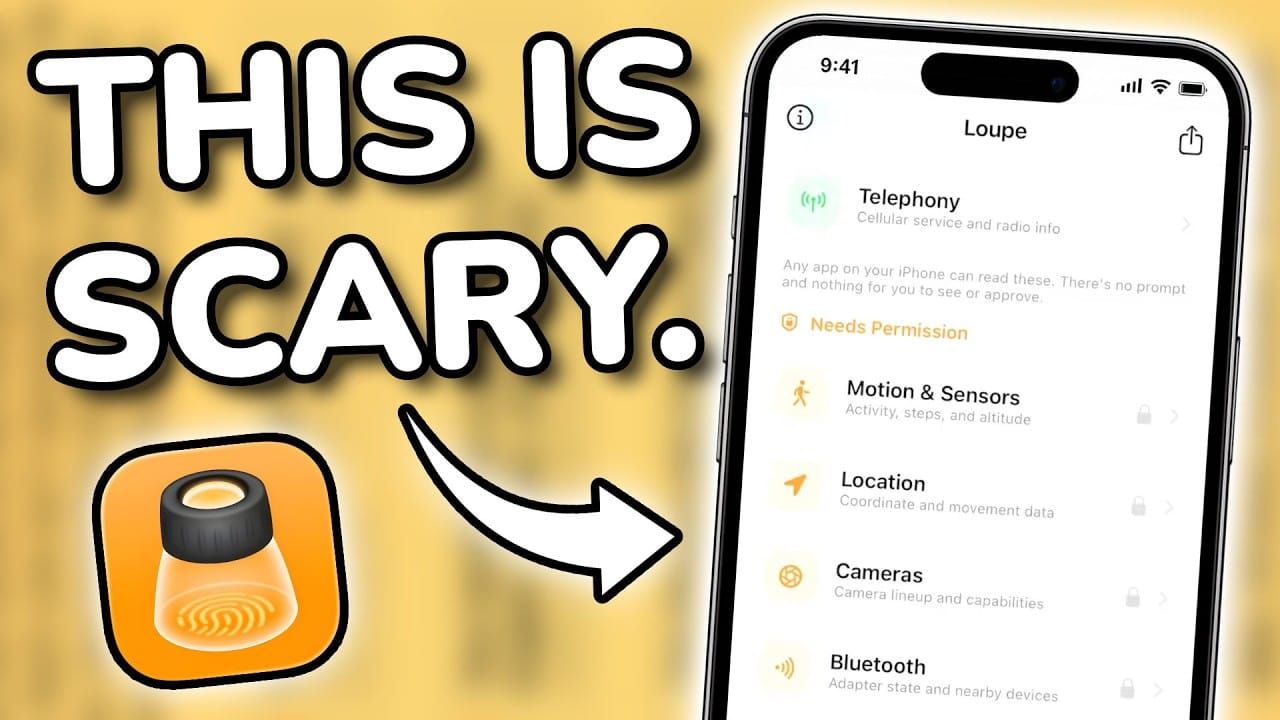
Loupe is a free, open-source iOS app from security researchers called Misk. Its purpose is to visually demonstrate what any app can learn about your device — without asking for any permissions. All processing is local on-device; no data leaves the phone.
What Loupe Reveals — Without Any Permission Pop-ups
The app immediately surfaced the following device attributes with no permission granted:
- Region: United States
- Clock preference: 24-hour (over 12-hour)
- Week start: Monday
- Unit preferences: Metric over imperial; Celsius over Fahrenheit
- Copy/cut count: Over 9,000 since the iPhone was set up
- Uptime: 32 minutes
- Audio accessories: Named (e.g. "system capture" from OBS recording; Henry's Fairbuds noted as uniquely identifiable)
- Network details: VPN usage, specific IP address, region, time
- Device motion: Accelerometer/gyroscope values change in real time as the phone is moved — accessible by any app with no permission
What Loupe Reveals — With Granted Permissions
When permissions are allowed, Loupe can access:
- Location
- Keyboard languages
- Camera
- Region
- Storage
- Calendar
- Reminders
- Apple Music listening history (Henry wasn't using Apple Music on the test device, but noted it would reveal "everything you listen to")
Henry highlighted that apps like Facebook can cross-reference location data across WhatsApp and Instagram.
Installed Apps Probe (Henry's Favourite Feature)
- Located in the Advanced section of Loupe.
- Mechanism: Apps register URL schemes so links open inside them (e.g. verification email links). Loupe "weaponises" this to detect which apps are installed — bypassing iOS sandboxing that normally prevents apps from seeing each other.
- Live demo: Henry downloaded DuckDuckGo, returned to Loupe, hit refresh, and DuckDuckGo appeared as a detected app.
- Other findings:
- On another device, Loupe recognised that Henry uses Signal.
- If the Tesla app is installed, it implies you likely own a Tesla.
- Lyft was detectable but Uber was not (at the time of recording).
- ProtonVPN and ProtonMail would also be detectable if installed.
- Henry stressed that no permission was tapped for any of the above (except the Apple Music probe).
Henry's Assessment of Loupe
- "Wonderful for educating people."
- Makes the invisible visible — more effective than just telling viewers in a video.
- A good tool to show friends and family to start them thinking about privacy.
What You Can Do About It — Henry's Recommendations
1. Audit App Permissions (Biggest Needle-Mover)
- Go to Settings → Privacy & Security.
- Review each category and ensure apps with access actually need it.
- In the same menu, go to Tracking and make sure it is off.
- Henry acknowledged this doesn't guarantee anything, but it's a meaningful step — the most egregious tracking still requires permissions.
2. Use DNS Blocking or a VPN to Stop Third-Party Tracking
- Does not stop first-party tracking (e.g. Facebook collecting data inside its own app).
- Does block third-party ad/analytics/tracking servers from receiving your data.
- Recommended tools:
- AdGuard — open source, generous free plan; Henry uses it on all his devices.
- NextDNS — can be set as a custom DNS provider via the AdGuard client, or used via its own native app.
- ProtonVPN with NetShield — ad/tracker blocking built into the VPN connection.
- Setup (iOS): Settings → General → VPN & Device Management → DNS → set AdGuard.
- Opt-in affiliate links for these tools are in the video description.
3. Be More Intentional About Installed Apps (The Largest Lever)
- The fewer native apps, the better.
- Delete apps you haven't used in over 90 days.
- Use web apps instead of native apps where possible — they run inside the browser sandbox, kept away from the OS, and cannot do the same level of fingerprinting.
- Examples mentioned: Todoist, Starbucks, Duolingo.
- How (iOS): Visit the website → Share → More → Add to Home Screen → opens as a full-screen web app.
- Apple now supports native notifications in web apps, narrowing the gap with native apps.
- Caveat: Web apps reduce the device surface but not your relationship with the company — your data still flows through the service (e.g. Todoist).
4. Android Comparison
- Android is likely neutral, if not slightly worse than iOS from this fingerprinting perspective.
- Loupe is iOS-specific; a similar Android tool would be welcome.
- Android's one upside: more compartmentalisation tools — work profiles, separate user accounts, and custom ROMs.
- Overall, this is a universal issue across platforms.
Key Takeaways (Henry's Closing)
- Delete anything you're not using.
- Use DNS or VPN blocking tools, especially for third-party tracking.
- Use web apps where possible to reduce exposure.
- Actionable challenge: Pick one app this week — delete it or switch to its web version — and report the difference in the comments.
- Loupe is a great tool to share with friends and family to start them caring about privacy.
- TechLore has a broader privacy/security guide video linked for those who want to go further.