Kobalt reader for Kobo
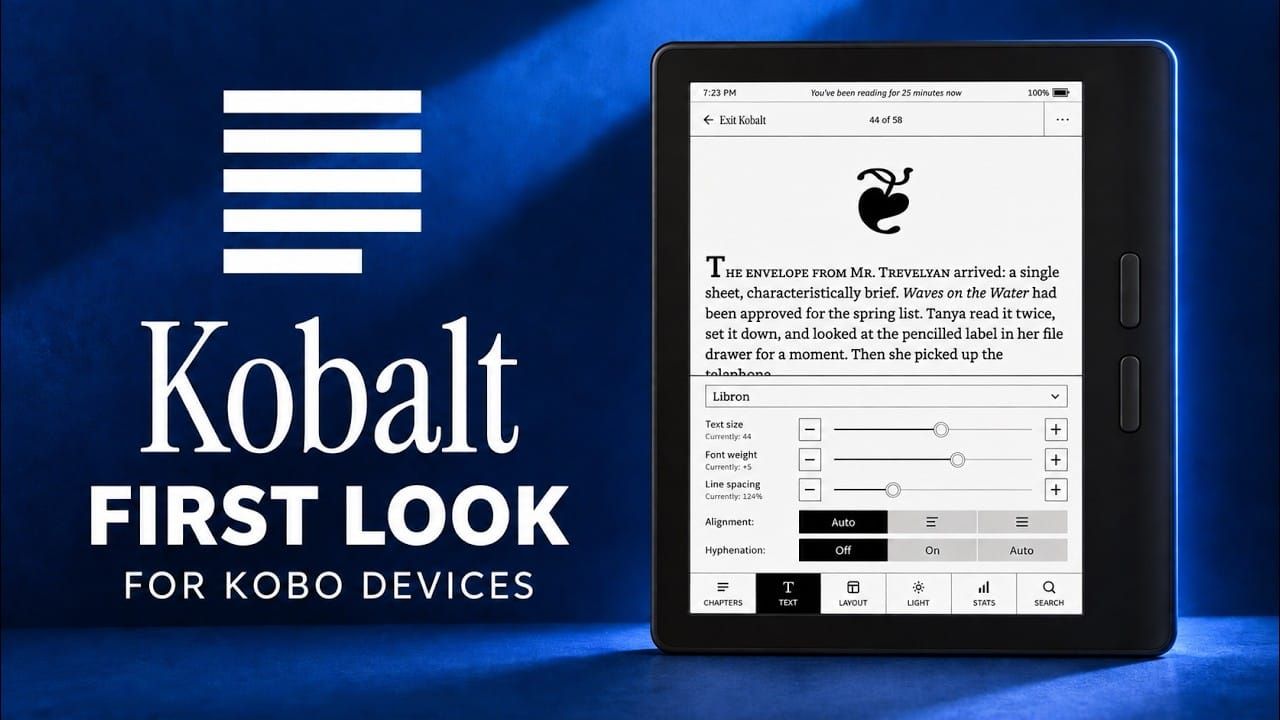
Nico demonstrates Kobalt, his custom reader app/mod for Kobo e-readers.
The Problem: Kobo's Built-in Reader
The video opens with criticism of the stock Kobo reader app on firmware version 6, which he calls outright bad:
- Font weight is broken — sliding the weight slider no longer gradually thickens text (as older firmware did); instead it abruptly swaps in a fully bold variant at a threshold, and the preview window shows no difference between weights.
- Custom fonts fail — sideloaded fonts like KF Libron show no preview in the dropdown and won't load at all when selected.
- Older devices also perform poorly — he had previously fixed this with a Kobo "typefix" mod.
- His conclusion: if this is the future of Kobo devices, the core function of the device is broken, so he decided to build his own reader.
Why Not Just Use KOReader?
He's a fan of KOReader (it installs fine on current firmware), but it has one major limitation:
- KOReader uses a separate, sideloaded library. It cannot open his legitimately purchased Kobo books — e.g. Jade War (Fonda Lee), which he's 45% through — only his sideloaded typography test book.
Kobalt: What It Is
- A mod integrated into the OS, not a standalone app. After installation, a new option appears at the top of Reading Settings: "open books in Cobalt".
- Uses the existing Kobo app to load books, but replaces the rendering with a completely different engine — the same one KOReader uses.
- Works identically on both old and new firmware versions, producing consistent results.
- At time of filming, it's version 0.1; a build link was promised roughly a week after the video.
Features Demonstrated
Demonstrated partly on-device, partly via a custom simulator he built for testing without hardware:
- Menus — tap the middle of the screen for bottom menus plus an overflow menu; chapter navigation via tap-and-select.
- Dark mode — one tap in the overflow menu; pure-black images will vanish rather than being inverted (he deliberately never inverts images, as that looks weird).
- Page-turn animations — styled like those in Nickel (the stock Kobo app); work in light mode too, but are skipped on pages containing images.
- Typography — font selection (from his ebook fonts collection) with instant per-page reflow, plus font weight and line spacing adjustments; the rest of the book is then laid out once in the background (larger books take longer), after which everything is fast.
- Layout — device rotation, customisable header and footer sizes (or fully off to maximise screen space), optional clock, adjustable front light (including a left-edge swipe for real-time brightness).
- Stats and search — position/progress display; in-book search (e.g. for the word "water").
- Proper typography — full ligature support.
- Familiar UI option — under Advanced, you can switch back to a Kobo-style layout with top navigation if you prefer it.
- Acknowledgements section — lists all libraries, fonts and licences used, "the right way".
- OS integration — exiting Kobalt updates reading progress back to the system.
Performance
- Speed is the priority. Large books like Jade War take a few seconds to load fully, then there's zero waiting between chapters or page turns.
- On his Kobo Libra 2, books that took the stock reader ~10 seconds to open a long chapter load fully in Kobalt with no further delays — it "feels like your device got a speed-up".
- Firmware 6 introduced a page cache that fixed a slowdown when navigating to image pages (e.g. fantasy maps as standalone chapters), but he finds it introduces its own lag when simply paging through text — something Kobalt avoids.
Availability
- Currently a personal project, but he's open to open-sourcing it and making it available via the KoboPatch Web UI, for users frustrated with the incoming reader version.
- The plan is to support every Kobo device feasible — which he believes is all of them. He's testing across a wide variety of older Kobos, constantly installing/removing the mod and refining it.