Linux - ELI5
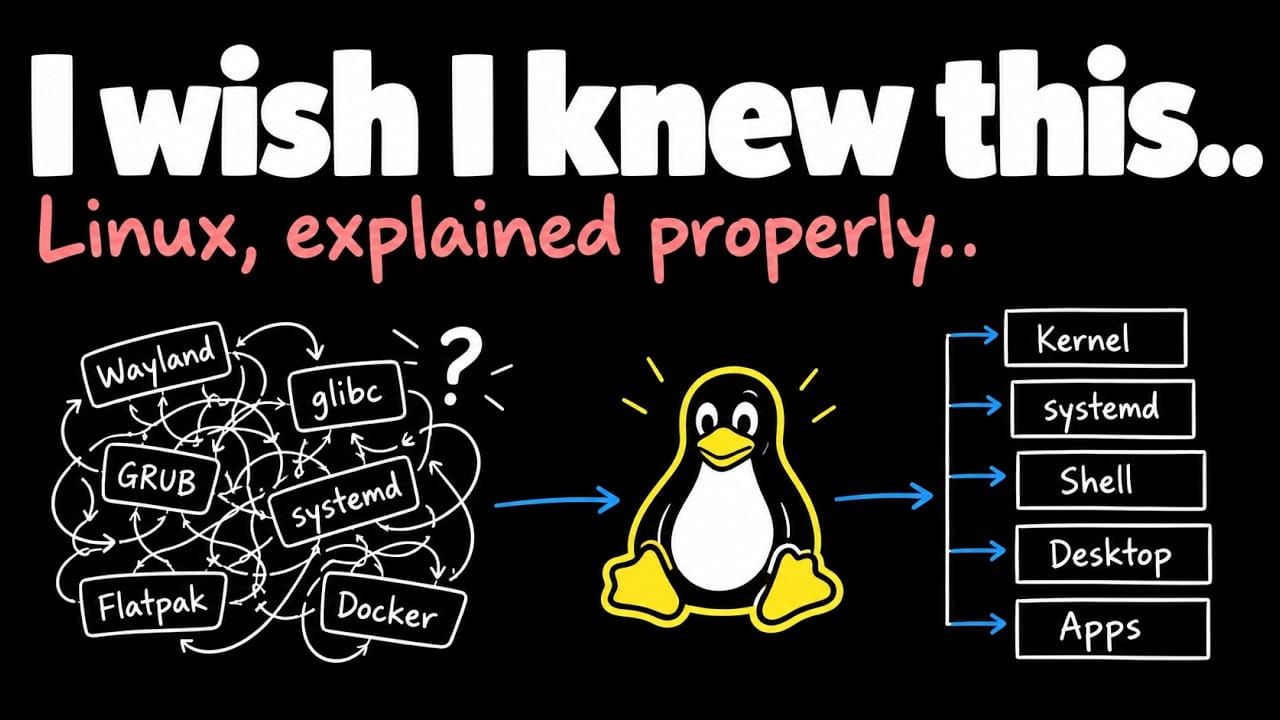
Most Linux tutorials hand you isolated pieces of jargon — Ubuntu, GRUB, systemd, Wayland, Flatpak, Docker, Android — with "no picture on the box." This video instead builds one layered map, from bare metal upwards, so every term gets a fixed home.
The core organising idea
Linux is best understood as a stack of layers, each with one job, built by different projects. The speaker's central revelation: technically, Linux is only the kernel — everything else on the map is layered around it. A second running theme is the Unix idea that "everything is a file", which resurfaces at the VFS, /dev, /proc and /sys.
Layer-by-layer map
| Layer | What it is | Key names / details |
|---|---|---|
| 1. Hardware | CPU, RAM, SSD, GPU, network cards. "Hardware alone is just expensive sand." | — |
| 2. Firmware | The "security guard who arrives first": powers on, self-tests memory and devices, then asks who boots the OS | Legacy BIOS; modern UEFI (Unified Extensible Firmware Interface) |
| 2a. Boot path | UEFI reads the EFI system partition, picks a bootloader and hands over control | GRUB (Grand Unified Bootloader) |
| 3. Bootloader | "The stage manager — it doesn't perform, it gets the star onto the stage": finds the kernel, loads it plus initramfs, passes the kernel command line, then steps aside | Kernel file usually vmlinuz; initramfs = tiny temporary filesystem with just enough drivers to find and mount the real disk |
| 4. Kernel | The actual Linux. Started by Linus Torvalds in 1991 as a hobby; now one of the largest collaborative software projects on the planet | Owns all hardware; everything else must ask politely |
| 5. init / PID 1 | After the kernel mounts the real root filesystem, it starts exactly one program (PID 1); every other process descends from it | Usually systemd: units (services, mounts, timers), targets as milestones; systemctl, journalctl. Alternatives: OpenRC (Alpine), runit (Void) |
| 6. Userland | Basic tools to list, copy, search, compress — a kernel alone "isn't something you can really use" | GNU project (Richard Stallman, 1983): compiler, shell, tools. ls cp mv cat = coreutils; grep and tar are separate GNU packages |
| 7. C library | Sits quietly between every program and the kernel, turning friendly function calls into system calls | glibc on most distros; musl on Alpine |
| 8. Shell + terminal | Terminal = the window drawing text and passing keystrokes; shell = the program inside that understands commands. "The terminal is the telephone; the shell is the person on the other end" | Bash (Bourne Again Shell), Zsh (macOS default), fish |
| 9. Filesystem tree | No C: drive — one root, /, per the Filesystem Hierarchy Standard |
See table below |
| 9a. Distribution | A team that picks the pieces, configures them to work together and ships one installable system — plus a package manager ("an app store for the command line" that resolves dependencies) | apt, dnf, pacman, apk |
| 10. Display server | Draws windows and a cursor | X11 (X Window System v11, from 1987); Wayland (started 2008), where display server and window manager merge into a compositor and apps are isolated; XWayland keeps old apps working |
| 9b. Desktop environment | Taskbar, settings, file manager, wallpaper — "on Windows or macOS the desktop is welded to the OS; on Linux it's just another layer you can swap" | GNOME, KDE Plasma, XFCE, Cinnamon; tiling WMs: i3 (X11), Hyprland and Sway (Wayland) |
| 11. Apps | Browsers, editors, games, media players | Universal formats: Flatpak (+ Flathub), Snap (Canonical), AppImage |
| 12. Server / cloud / containers | Strip the display server, desktop and apps and you have a server | namespaces + cgroups; Docker, Kubernetes |
| 13. Android | Biggest Linux deployment of all — "same heart, completely different body" | Swaps glibc for Bionic, and the GNU userland/desktop for its own runtime and app framework |
Inside the kernel: five jobs
- System calls — the "order window" between customers (apps) and kitchen (hardware):
read,write,open. Apps never touch the disk directly. - Drivers — translators for Wi-Fi, GPU, GPIO, USB. Many are loadable modules (plug-in cartridges) managed with
lsmodandmodprobe, loaded and removed without rebooting. - Scheduler — the traffic cop for hundreds of processes across a handful of cores. Long-standing CFS (Completely Fair Scheduler); since kernel 6.6, EEVDF.
- Memory manager — the virtual memory illusion (each process thinks it has private memory), mapped to real RAM in pages, with less-used pages pushed to swap; last resort is the OOM killer.
- VFS (virtual file system) — one interface over ext4, btrfs, FAT USB sticks and network shares; the technical basis of "everything is a file."
The filesystem tree (ls /var explained)
| Path | Contents |
|---|---|
/ |
Single root — there is no C: drive |
/home |
Your personal files |
/etc |
System-wide configuration |
/bin, /usr/bin |
Programs |
/var |
Things that change, e.g. logs |
/tmp |
Scratch space |
/boot |
Kernel and bootloader files |
/dev |
Device files — your disk literally appears as a file |
/proc, /sys |
Not on disk at all — windows the kernel opens; reading a file there makes the kernel generate the answer on the spot |
Distro families
| Family | Package format / tool | Members and character |
|---|---|---|
| Debian | .deb / apt |
Debian (famous for stability); Ubuntu (built on Debian, made Linux friendly for millions of desktop users); Linux Mint, Pop!_OS (from Ubuntu) |
| Red Hat | .rpm / DNF |
Fedora (fast-moving community distro); RHEL (paid, long-supported, used by big companies); Rocky Linux and AlmaLinux (free, RHEL-compatible rebuilds) |
| Arch | Pacman | Rolling release — no big version upgrades, you just keep updating; minimal, self-assembled; community AUR has a build recipe for almost anything |
| Alpine | APK | Tiny; built on musl and BusyBox; base container image only a few megabytes — why it's popular in containers |
The speaker's framing: "Which Linux should I use?" really means which family, which package manager, which update style — underneath, it's the same kernel.
Beyond the desktop
- Servers and cloud — Linux runs the majority of the world's web servers and the vast majority of cloud workloads; the speaker states that all of the top 500 supercomputers have run Linux since 2017.
- Containers — kernel features namespaces and cgroups give a group of processes an isolated view of the system (own filesystem, network, process list) plus strict CPU/memory limits. Docker made this easy; Kubernetes orchestrates thousands across many machines.
- The killer detail — a container doesn't carry its own kernel; all containers share the host's single Linux kernel. That's why they start in milliseconds, and why Alpine's tiny image wins.
The closing recap (one pass down the map)
Hardware → firmware (BIOS/UEFI) → bootloader (GRUB) loading kernel + initramfs → the kernel, which is Linux itself (system calls, drivers/modules, scheduler, memory management, VFS) → PID 1 / systemd brings up services → userland (GNU tools + C library) → shell inside a terminal → one filesystem tree from / → a distro bundles it with a package manager → display server (X11/Wayland) → desktop environment (GNOME/KDE) → apps (Flatpak/Snap) → and branching off the same kernel: servers, cloud, containers, Android.
"Remember that pile of confusing words from the start? Every single one of them now has a home." The channel teases a follow-up zooming into individual layers, starting with how containers really work with namespaces and cgroups.