One year progress update

After a year of following one rule — if there's a good open-source alternative, switch — Foci walks through the tools that survived, plus a few recent discoveries. He opens by defining open source (code anyone can inspect, modify and share) and is careful to say it is not a guarantee of quality, privacy, security or good design: "there are bad open-source apps, very much so." What he values is the philosophy — and, in his words, "sticking it to big tech."
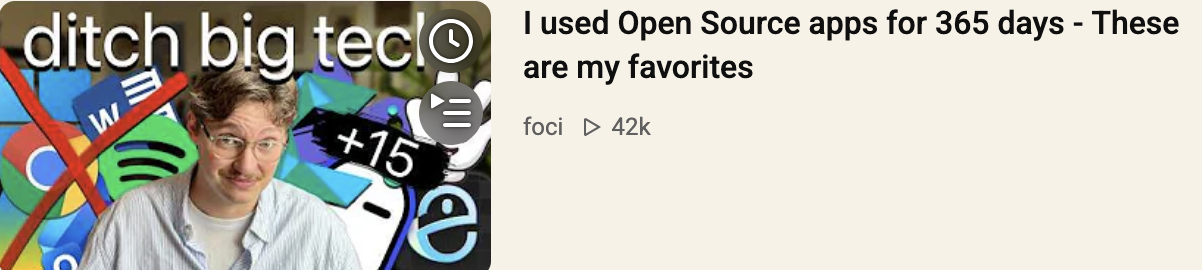
The stack at a glance
| Area | App | Why he keeps it |
|---|---|---|
| OS | CachyOS | Arch-based but far easier to install and use than Arch's reputation suggests |
| Window management | niri | Scrollable tiling: windows sit in columns you scroll horizontally, plus vertical workspaces |
| Desktop shell | Noctalia | Bar, launcher, notifications, settings — the layer that makes it feel like a full desktop [1] |
| Config | nirimod | Graphical way to modify niri instead of hand-editing text config [2] |
| Terminal | Ghostty | Custom theme, opens with fastfetch, floats rather than tiles |
| Code editor | Zed | Replaced VSCodium for managing config files; "quite clean" |
| Editor (fallback) | VSCodium | Still used for Manim animations, as Manim's side view isn't available in Zed |
| Browser (Linux) | Helium | Lightweight Chromium fork, privacy-first defaults [3] |
| Browser (macOS) | Zen | Workspaces + Essentials for separating study, work and leisure |
| Ambient sound | Blanket | Layered rain/ambience; can upload your own sounds |
| Speech-to-text | Handy | Local models, push-to-talk, no phoning home |
| File transfer | LocalSend | Device-to-device over local Wi-Fi; no account, no cloud |
| Whiteboard | Excalidraw (name clipped in transcript) | Browser-based, no sign-up, laser pointer, Mermaid-to-diagram, Obsidian plugin, self-hostable |
| PDFs | Stirling PDF | Merge/split/sign without uploading files to a random site [4] |
| Bootable USB | Ventoy / Medicat | Drag-and-drop multiple ISOs; Medicat adds a bundle of recovery tools [5] |
| Office | ONLYOFFICE | Word/PowerPoint-like layout, tabs, full Microsoft format support |
| Gaming | Lutris, ProtonUp-Qt | Steam + Proton GE for most games; Lutris fakes a Windows prefix for Battle.net |
| WoW add-ons | WowUp | Open source, no login — "much better than something like CurseForge" |
| Proton Mail (business), Tuta (private) | — | |
| Peripherals | OpenLogi | Local, account-free remapping for Logitech MX devices [6] |
Significant points by theme
1. The Linux desktop is assembled, not installed
CachyOS + niri + Noctalia is the core insight: a compositor handles windows, a shell handles everything visual, and nirimod makes configuration graphical. He contrasts tiling with the floating-window model of macOS, Windows, GNOME and KDE, and notes niri scrolls sideways rather than endlessly subdividing the screen.
2. Workflow dictates browser choice, not brand loyalty
He uses two browsers deliberately: on Linux with a tiling window manager he opens new windows instead of new tabs, so Helium fits; on macOS he runs one window with many tabs in Zen, using Workspaces as effectively separate sessions (business email in one, university email in another) plus the Essentials strip. Helium's Chromium base means Chrome extensions still work (e.g. his password manager), and he pairs it with Startpage to avoid AI overviews.
3. Privacy claims are treated with scepticism
Before the sponsor break he notes that a VPN only shifts trust from your ISP to the provider — a rare moment of nuance in a "privacy app" video. The same instinct shows in his app picks: local models (Handy), no accounts (LocalSend, OpenLogi, Excalidraw), and local-network-only transfers.
4. Cloud round-trips are treated as a design flaw
Stirling PDF is praised specifically as the alternative to "uploading your files to some sketchy website that you find at 2 a.m." — he uses it for merging and splitting large PDFs for university, and for signing contracts.
5. Practical compatibility beats ideological purity
He hasn't used Microsoft Office for about a year, yet still needs Microsoft formats for colleagues. Of the two suites, he prefers ONLYOFFICE over LibreOffice for two reasons: the layout is near-identical to Word/PowerPoint ("plug and play"), and it uses tabs rather than separate windows, which suits having many documents open.
6. Gaming on Linux is now a "just works" story
Steam plus the Proton GE compatibility layer (managed via ProtonUp-Qt) covers most titles. Lutris handles the exceptions — for World of Warcraft it builds a Windows prefix, launches Battle.net inside it, and then you install the game as normal. He admits he doesn't understand what happens under the hood.
7. Honest limits are stated
OpenLogi can't remap the buttons on his wired G502 because it only supports the MX series — he still showed it because viewers may own supported devices. Likewise, Zed can't yet replace VSCodium for Manim work, and he asks viewers for a workaround.
Corrections applied to the transcript
| Transcript | Corrected |
|---|---|
| Cashios / Casios | CachyOS |
| Neri / Neria / Nuri | niri |
| Nerimod | nirimod |
| Ghosty | Ghostty |
| "set" | Zed (inferred from context) |
| Sen | Zen (inferred: Workspaces + Essentials) |
| plug Origin | uBlock Origin |
| fishing websites | phishing websites |
| Start page | Startpage |
| Battleet | Battle.net |
| Libra Office / Only Office | LibreOffice / ONLYOFFICE |
| Proton Upqt | ProtonUp-Qt |
| Open logi | OpenLogi |
| tutor mail / tutor | Tuta |
| Mediat | Medicat |
| Sterling PDF | Stirling PDF |
| "Wow" (add-on manager) | WowUp |
| fastfetch, Codium, Ventoy, Lutris | unchanged |
References
- noctalia-dev (24%) ↩︎ ↩︎
- [An awesome list for niri related projects Maintainer (9%) ↩︎ ↩︎
- imputnet/helium: Private, fast, and honest web browser (20%) ↩︎ ↩︎
- Stirling-Tools/Stirling-PDF: #1 PDF Application on ... (8%) ↩︎ ↩︎
- Ventoy (8%) ↩︎ ↩︎
- AprilNEA/OpenLogi: ⚡️A native, local-first alternative to ... (6%) ↩︎ ↩︎
- Zen Browser (24%) ↩︎